Client type
Teams moving offline service, internal collaboration, or content operations into manageable digital workflows.
CASE / DIGITAL OPERATIONS
We designed products around real membership, booking, task, content, and analysis workflows that teams and customers could continue using.
Discuss a digital product or automation project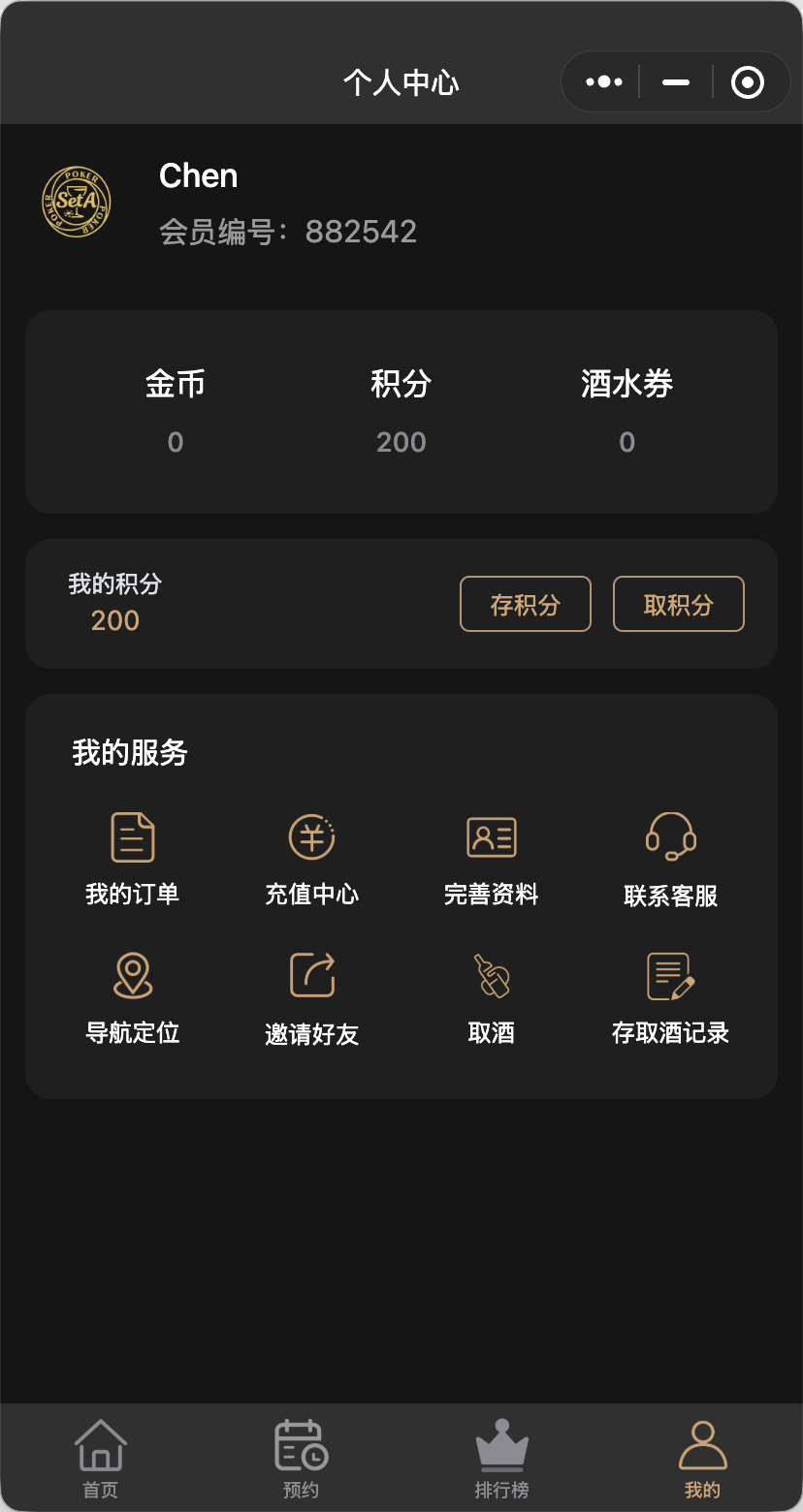
WHAT YOU GET
Teams moving offline service, internal collaboration, or content operations into manageable digital workflows.
Product definition, data model, interaction design, mini-program or web implementation, admin tools, and iteration.
The examples come from delivered mini-program and operational workspace projects; private fields are anonymized.
WHO THIS FITS
Offline service, membership, booking, tasks, or content operations lacked one digital workflow.
The product had to be simple for customers and manageable for internal teams.
Put business rules, data, interface, and operations into one working product.
THE CURRENT GAP
Design the customer journey and internal operating path together, not only the front-end screens.
Product definition, data model, interaction, implementation, admin, task queue, and analysis.
Mini-program and workspace interfaces come from delivered work with private fields anonymized.
DELIVERY PROCESS
Confirm roles, scenarios, rules, and critical paths.
Requirements and journeyDefine pages, states, fields, and permissions.
Prototype and data modelImplement front and back ends, test, review, and release.
Working productKeep improving from usage, exceptions, and feedback.
Iteration queueACCEPTANCE
Membership, booking, submission, and viewing paths work.
Admin states, permissions, search, and exception handling are clear.
Important behavior and tasks are recorded for operational decisions.
BOUNDARIES
Customer, user, and internal operating data remain private.
Launch is not treated as growth by itself; results require continued operation and measurement.
Digital products, business automation, CRM, and operational workspaces.
FAQ
Yes, after confirming how it connects to current business, data, and people.
Yes. Iteration can be driven by usage, customer feedback, and business change.